

Andy
Forum Replies Created
-

Hey Jason,
Thanks for reaching out! Glad to hear you’re diving into the Reptile Relief project!
I can see how that would be confusing, especially when you’re expecting to see the crocodile model and only getting the profile toolpath.
The Reptile Relief project uses a 3D crocodile model along with separate roughing and finishing toolpaths.
Here’s what I’d recommend checking first:
-
Make sure you’ve downloaded the complete project ZIP folder from the Reptile Relief lesson and extracted all the files before opening anything in Vectric.
-
Open the M7-Crocidile.crv file and check whether the 3D model is visible in the 3D view.
-
The project requires Vectric VCarve or higher, so make sure you’re using a compatible version.
You can also go back through the Reptile Relief lesson and follow the setup steps in the project playbook.
If the crocodile model is still missing after those checks, let us know. We can help determine whether there’s an issue with the course download.
Give that a shot and let us know how it goes.
-
-
Andy
AdministratorSeptember 22, 2026 at 2:05 pm in reply to: Genmitsu 4040 Pro starting first pass .5 inch above materialHi Mike,
I totally get how frustrating that is, especially after fighting with it for this long. The good news is that your basic project setup sounds like it’s headed in the right direction.
For the Kickstart projects using Vectric and a Genmitsu setup, the course workflow is to set the material thickness to the actual measured thickness, use the lower-left corner for X/Y zero, and set Z-zero to the top of the material. After any air pass, Z should be reset so the tip of the bit is just touching the top of the board before starting the actual cut. The project G-code should also be exported using the correct post-processor for the Genmitsu machine.
Since your spindle is still starting roughly 1/2″ above the stock after you’ve manually zeroed Z, that points to something in the machine/controller side of the setup rather than the project itself. You mentioned you’re running the file through Genmitsu’s Android app, and that isn’t the controller workflow used in the course materials.
The best next step is to reach out to Genmitsu/SainSmart support and let them know exactly what you described here: the machine is zeroed at the top of the stock, but when the G-code starts, the cutting moves are happening about 1/2″ above that zero point. They’ll be able to check the controller/app settings, coordinate offsets, and anything specific to the 4040 Pro. Our Kickstart FAQ recommends going directly to the manufacturer for machine, electrical, controller, or connection issues because each machine can behave a little differently.
One thing I would not do is compensate by intentionally setting your Z-zero lower. You want the machine and controller to correctly recognize the top of the material as Z-zero before making a real cut.
Give that a shot and let us know how it goes.
-
Just checking back in to see how you’re doing with this. Were you able to get past the FreeCAD issue and move on to the toolpaths in Carbide Create?
If you’re still stuck anywhere, let us know where you’re at and we’ll help you work through it.
-
Hi Joel,
Thanks for reaching out. I can see why this is confusing.
For the Troop Tray project, the file is set up with the XY zero/datum at the lower-left corner of the material and the Z zero at the top of the material. You should not need to move the XY zero to the back-left for the project to cut correctly.
Before exporting the job, open the project and confirm those zero positions, then run the toolpath simulation to make sure the movement and orientation look correct. If you’ve made any adjustments for your machine, recalculate the toolpaths and export them using the correct post-processor for your controller.
Since you’re running a FoxAlien Ultra 8080, the fact that the job only cuts when you zero from a different corner and then comes out mirrored sounds like it may be related to how the machine/controller is interpreting the X and Y directions or the exported file. That part is machine-specific, so the best next step is to reach out to FoxAlien support. They’ll be able to confirm the correct machine orientation, controller setup, and post-processor for the Ultra 8080. Our CNC Kickstart guidance recommends going directly to the manufacturer for machine-specific setup or operation issues like this.
The main thing to keep in mind on our side is: Troop Tray = lower-left XY zero and top-of-material Z zero.
Give that a shot and let us know how it goes, we’ll help you dial it in.
Best,
Andy -
Hey JD,
I do not recommend using 1/2″ plywood because of joint stability issues. The file that you received is correct, the playbook does have a typo in it. It should say .75″. We are updating that now. I apologize for the trouble.
-Andy
-
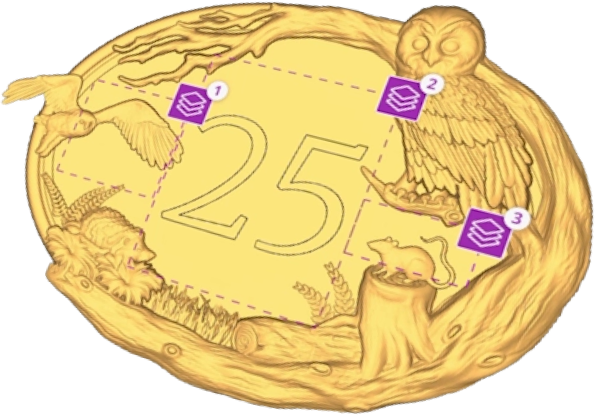
I would recommend Vcarve Pro. The good thing with Vectric is that if you buy a lower level, like Vcarve Desktop, but later you want to upgrade to Vcarve Pro, you only pay the difference. This takes the fear out of getting the wrong level. http://www.vectric.com/andybird
vectric.com
Vectric CNC software is designed to make cutting parts on a CNC an enjoyable and productive experience, with the combination of power and simplicity.
-
Hi Gerald,
Catching up on messages.
Glad you got this sorted out!
And @Kurt, thanks for jumping in and helping Gerald before we got to it. We really appreciate members sharing what they’ve run into and helping each other along the way.
Gerald, sounds like you’re good to keep moving forward with the project.
Try that out and let us know how it goes, happy to help if anything comes up.